How Kite uses website building as a marketing capability
Website building is one capability Kite can use when a page supports a marketing goal. This guide explains how a conversation can shape the brief, content, design direction, and reviewable website work.
March 3, 2025 · 12 min read · By Kite Team
Website building is one way Kite can help when a marketing goal needs a clearer page, a campaign landing page, or an updated site message. Kite is an AI marketer in Slack, not a standalone website-builder category. You start with the marketing job, then use conversation to shape the website work that supports it.
This guide uses a website example to explain the process. Kite can research context, help form a brief, and prepare website work for your team to review before any publishing decision.
If you prefer to watch, here's the full video walkthrough:
A website can be an important marketing surface, but it is not the whole marketing job. The page needs to reflect the audience, offer, message, and next action that matter to the plan.
When website work is the right next move, Kite can help turn the marketing context into a reviewable plan:
You describe the marketing job in plain language, including the audience, offer, and outcome the page needs to support.
Kite researches the context and helps form a page brief around the work you need done.
It prepares the content and structure for the audience, offer, and message you shared.
It shapes a website direction that can include copy, design, structure, and discoverability considerations.
Your team reviews the work. Connected tools and publishing stay within the approvals your team gives.
The work begins in Slack, where the team can discuss and review it.
Starting from Zero: Describing Your Business
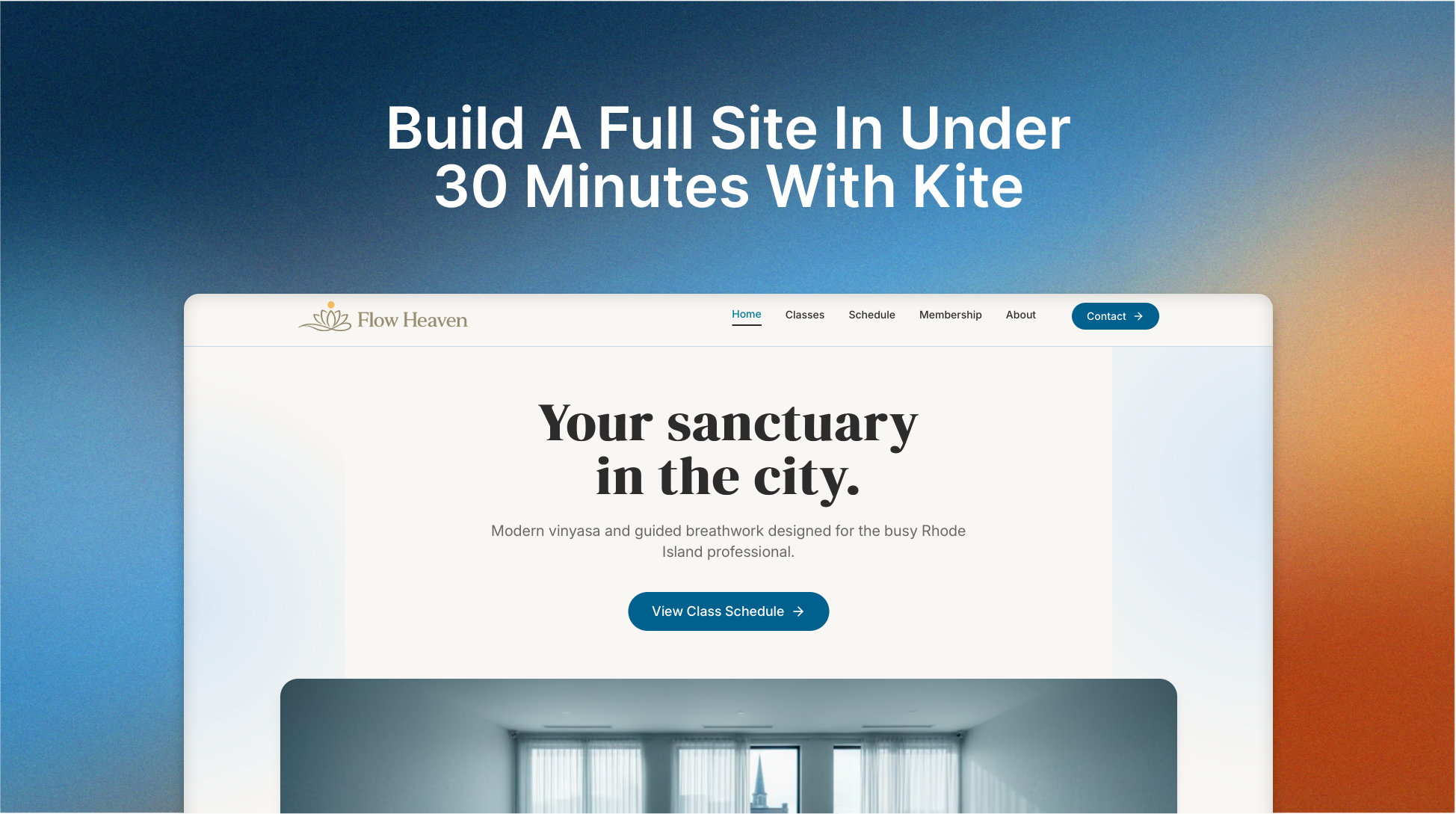
For this walkthrough, let's imagine we're launching a new yoga studio called Flow Heaven in Rhode Island. We have nothing yet. No logo, no color palette, no content. Just an idea.
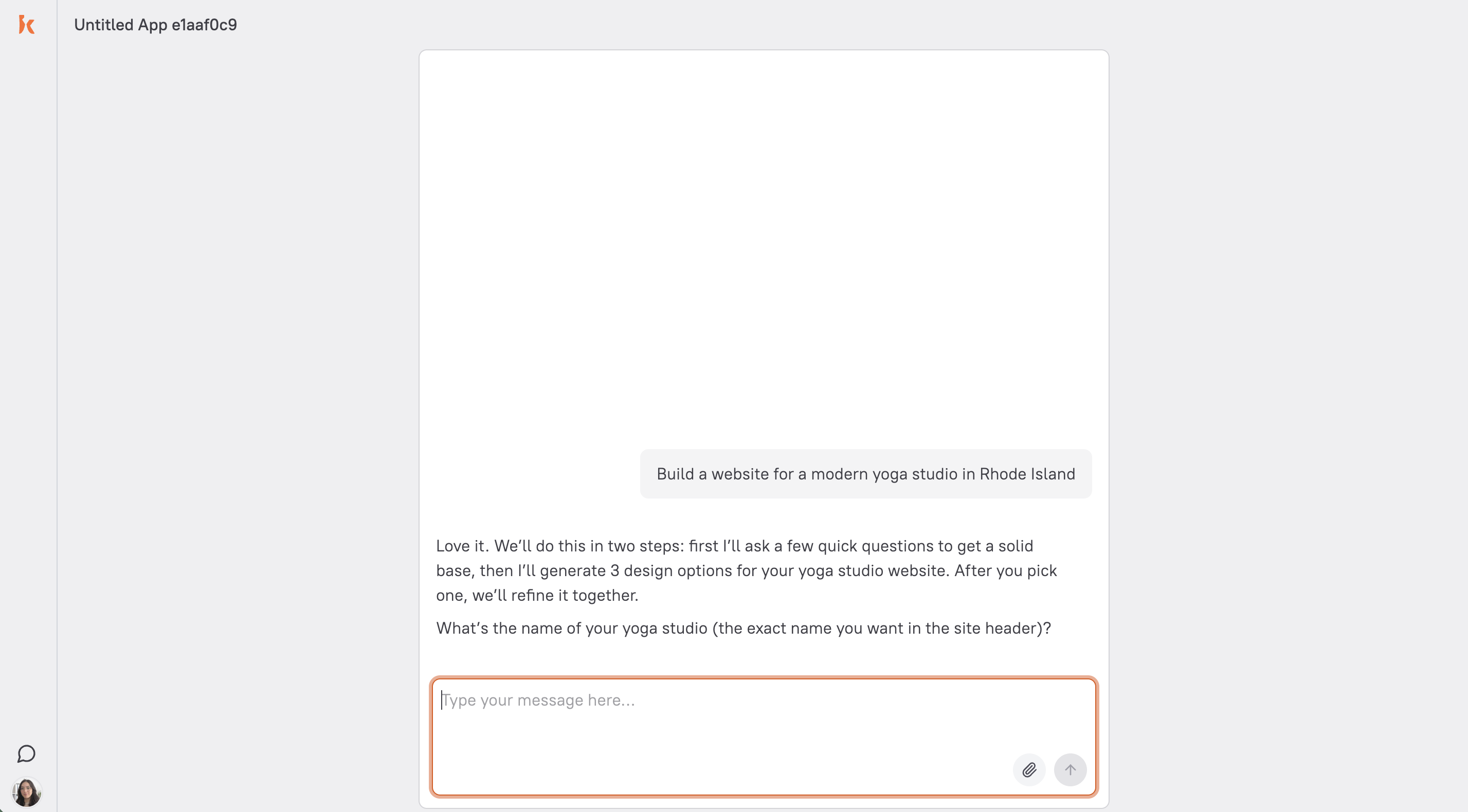
First, I head to kite.ai, log into my account, and create a new website. Kite starts by asking me to describe my business. This is the conversational interface that replaces the traditional template-picking step.
Kite then asks a few follow-up questions to tailor the site specifically to my business. It wants to know things like:
Your business name
Your target audience
Your goals for the website
The colors and overall vibe you want
What sets you apart from competitors
If you don't have a logo yet, you can ask Kite to generate one for you, which is exactly what I did.
Once I answered those questions, Kite had everything it needed to generate the full website, including branding, pages, copy, and images.
How the AI Generates Your Branding
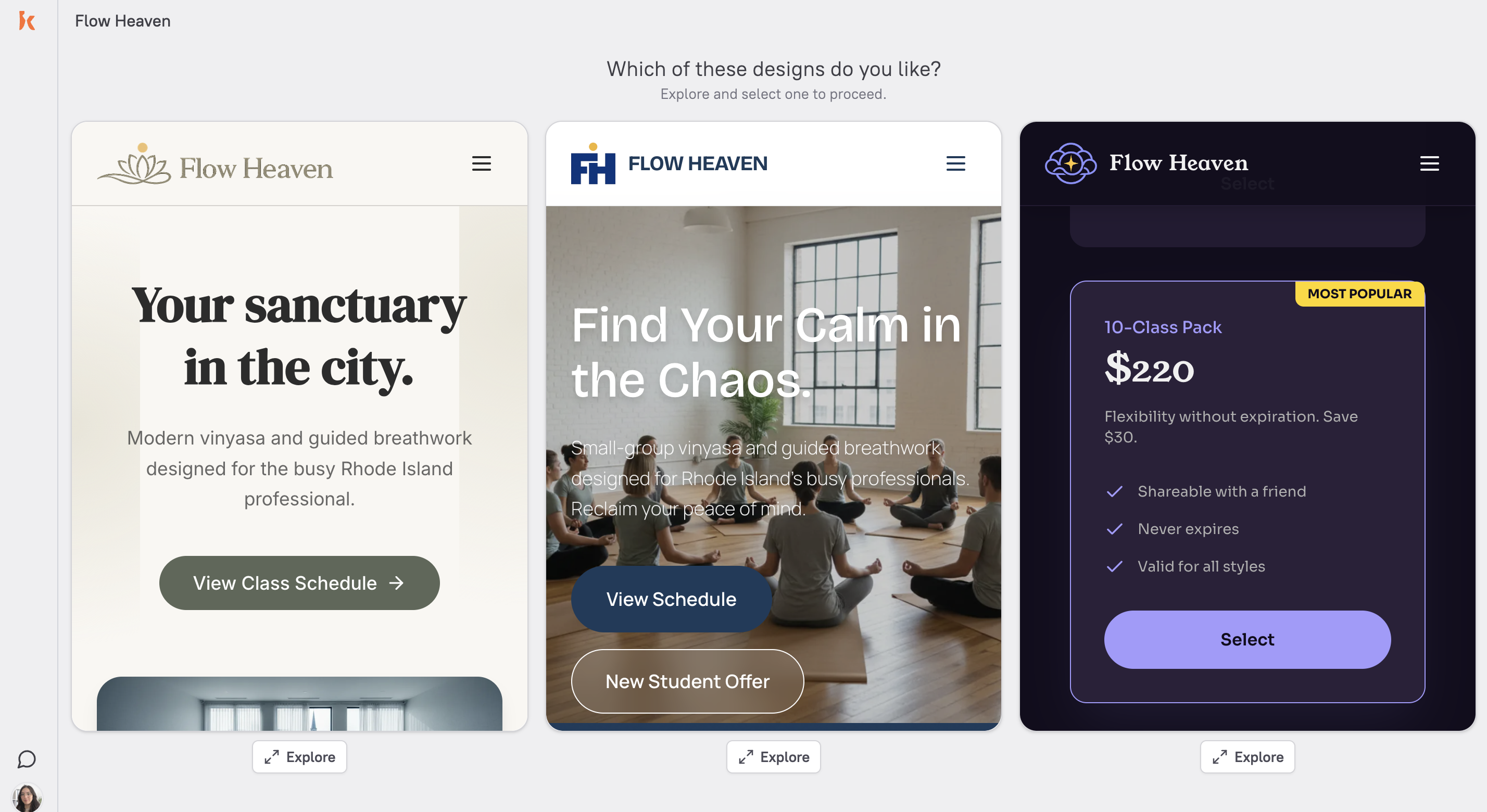
This is where things get interesting. Most website builders give you one template to customize. Kite generates three distinct branding directions, each with its own logo, color palette, typography, and complete visual identity.
If you're not a designer, this step alone saves hours. You're not guessing at color combinations or trying to make a generic template feel like “you.” You're choosing between three fully realized brand directions, all based on the description you provided.
For Flow Heaven, here's what Kite generated:
Option 1 felt calm and grounded, with earthy tones, a clean layout, and all essential pages and sections in place.
Option 2 was also grounded and complete, with a slightly different structural approach.
Option 3 was more playful and energetic, a different personality entirely.
What stood out to me is that all three versions included a full set of pages, content, images, and pricing sections. They weren't wireframes or half-finished mockups. They were ready to personalize and launch.
For a yoga studio, I went with the calmer direction. It matched the “peaceful escape” vibe I described.
How AI Writes Your Website Copy
One of the most time-consuming parts of building a website is writing the content. You need headlines, descriptions, calls to action, class details, pricing copy, and an about section, and all of it needs to sound like your brand.
Because Kite already knows your business from the conversation you had, it writes all of this for you. The copy isn't generic filler text. It's based on the specifics you shared: your audience (young professionals), your differentiators (breathwork sessions, community events), and your tone (calm, minimal, earthy).
This is fundamentally different from template-based builders, where you're replacing “Lorem ipsum” with your own words from scratch.
Editing by Conversation
Website work stays connected to the marketing goal when you can explain the change in context. Tell Kite what needs to change, who the page should serve, and what you want the visitor to do next.
I made two edits to the Flow Heaven site to show how this works:
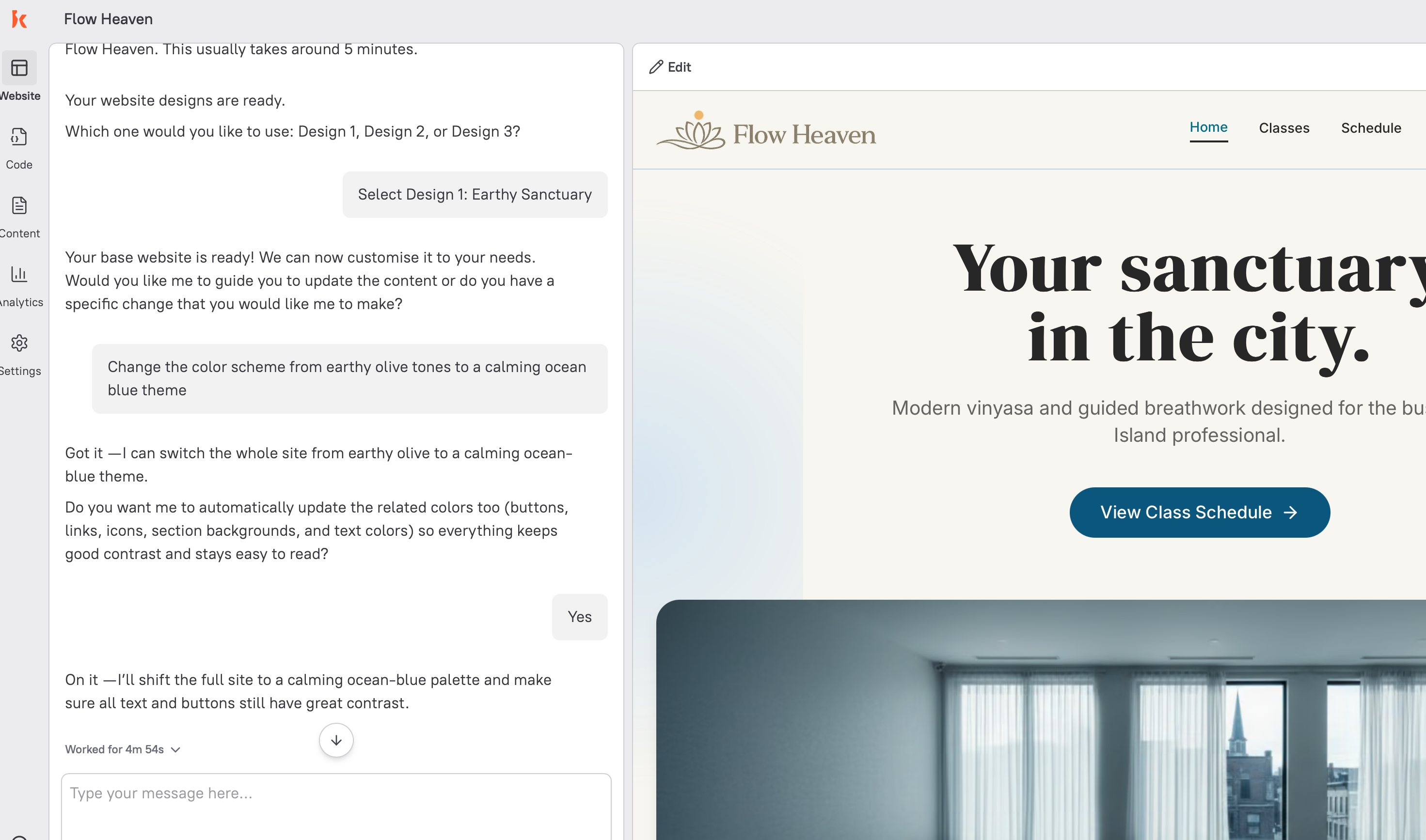
Change 1: Updating the Color Palette
Even though I liked the overall design, I wanted a different color scheme. I asked Kite:
“Change the color scheme from earthy olive tones to a calming ocean blue theme.”
Kite can prepare the requested visual direction and bring it back for review. Your team decides whether the change should be published.
Change 2: Adding a New Section
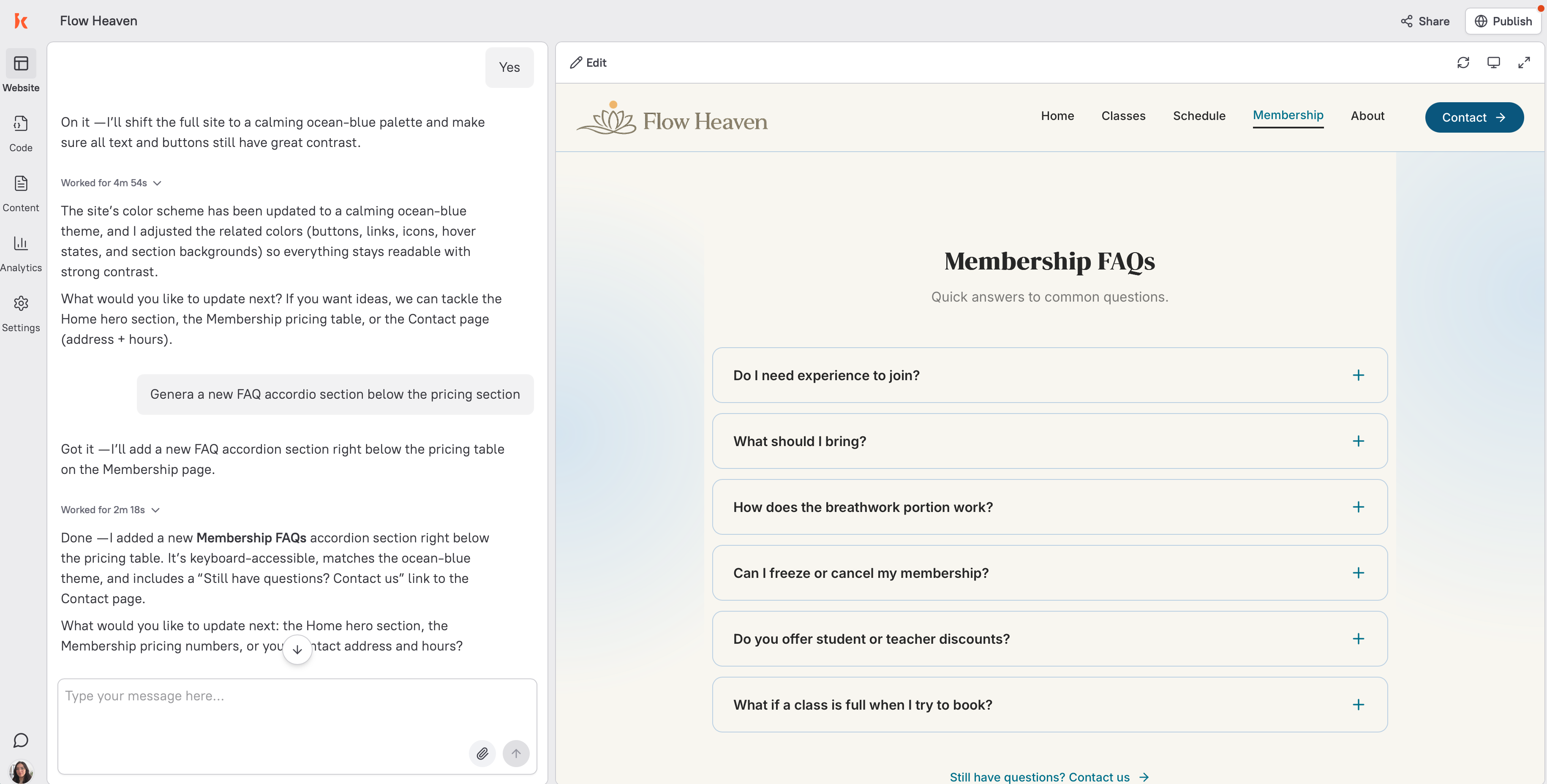
I also wanted to add an FAQ section. I told Kite:
“Add a new FAQ accordion section below the pricing section with these questions: ‘What should I bring to class?’, ‘Do I need experience?’, and ‘What's your cancellation policy?’”
Kite can prepare a content or structural section that fits the page brief, then bring the work back to your team for review.
Website building is a capability within Kite's wider marketing work. The conversation starts with the outcome you need, not with a template or a standalone site-building task.
Reviewing website work before publishing
Once the content, images, and design are ready, review the proposed work with your team.
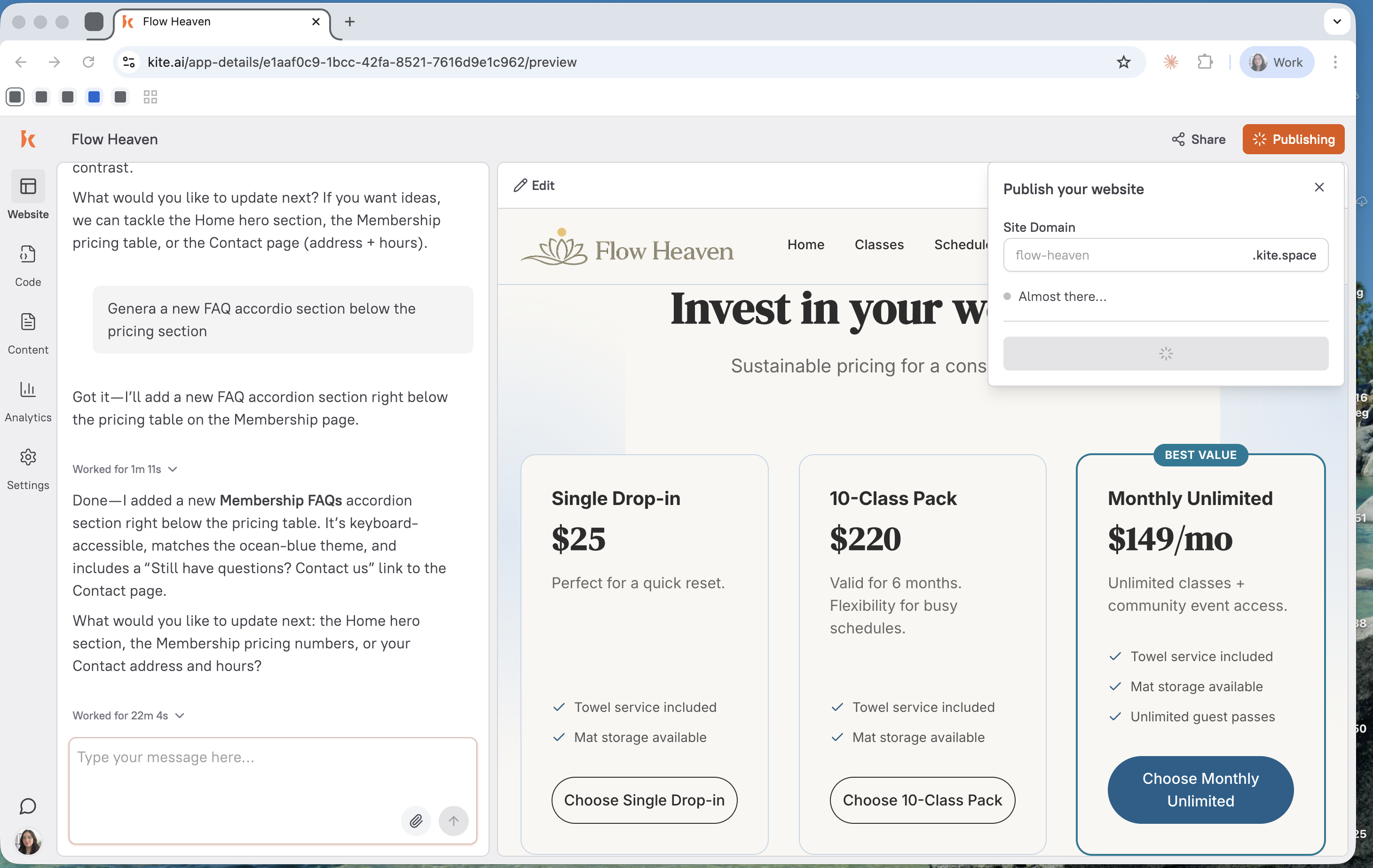
Your team makes the publishing decision. What Kite can do with an existing site or domain depends on the connected tools and approvals your team provides.
Bringing discoverability into the website brief
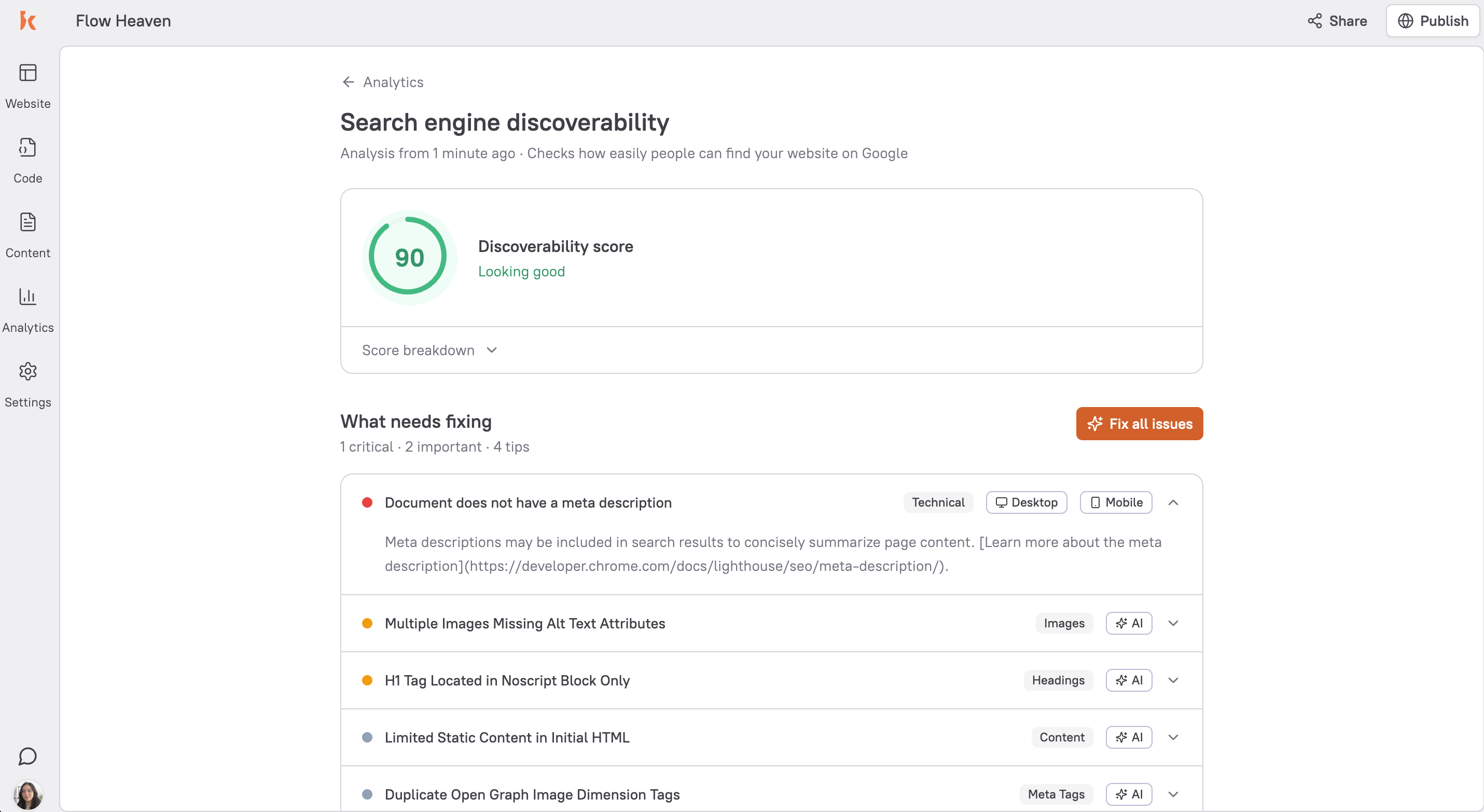
Discoverability can be part of the page brief when it is relevant to the audience and marketing goal.
Kite can research search and AI-answer context, then propose content or structural work for review. It does not guarantee a ranking or a particular answer-engine result.
A website brief can consider details such as page titles, heading hierarchy, image descriptions, and content structure alongside the offer and next action.
Kite can help prepare the changes that fit the plan. Your team reviews the work and retains control of publishing.
Use the result to decide what to improve next, based on the evidence available to your team.
A clearer, well-structured page can support the wider work of reaching the people you want to serve.
What to do next
The website example is one way Kite can help. Start by explaining the marketing goal, audience, and website job that need attention.
Add Kite to Slack to discuss the work. Kite operates within the tools you connect and the approvals your team gives.
FAQ
How does Kite help with website work?
Kite is an AI marketer in Slack. When a website page or change supports the marketing plan, Kite can use the context you share to prepare the brief, content, structure, and website work for review.
How is Kite different from a website builder?
Website builders focus on creating and editing sites. Kite is an AI marketer that can use website building as one capability when it serves a larger marketing goal.
Can AI make a professional website?
Kite can help prepare a page direction, copy, structure, and website change when that work supports the marketing plan. Your team reviews the result before making a publishing decision.
Do I need coding skills to ask Kite for website help?
No. Describe the marketing job, audience, and website need in plain language. Kite can help prepare the work, while your team keeps control of the connected tools and approvals.
Can I use my own domain with Kite?
Discuss the site and domain setup with Kite in Slack. The available work depends on your team's connected tools and approvals.
What should I do first?
Add Kite to Slack and describe the marketing outcome you need. If website work is part of the answer, Kite can help turn that goal into a reviewable plan and draft.
Ready to discuss website work? Head to kite.ai and add Kite to Slack.