

Desktop
Work directly on Kite.ai.
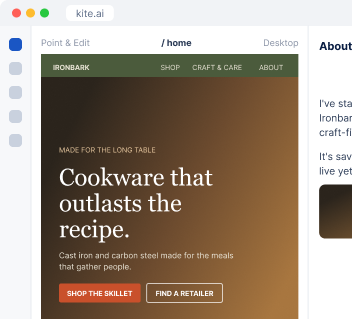
Share your ad and I'll build the page it sends people to, on your own website, in your fonts and colors.
 Shop cookware · The wok · Craft & care · About usCart
Can you create a new ads landing page for our Meta ads campaign for our Ironbark Cookware skillet?
 skillet-ad.png“Cookware that outlasts the recipe.”
 Kite
I checked the skillet page and the campaign, then built a page that picks up where the ad leaves off and leads to the purchase step.
I carry the ad's headline and offer onto the page and aim it at one audience with one button.
Your fonts, colors and layout, plus the search title and share image, so the page looks like it was always there.
Each channel gets its own tracking link, so you know which ad brought the customer.
Ironbark CookwareSponsored · example adSeasoned at the foundry, built for the next hundred dinners.
Shop cookware · The wok · Craft & care · About usCart Meta Ads
 Google Ads
 LinkedIn Ads
 Google Analytics
 PostHog
On your account, I start from the ads and analytics you connect: which ad people click and what they do once they land, so every page is built for the traffic it actually gets.
Your ad accounts, your site and your analytics, in a few clicks. On a Kite site, I'm already in.

Send the ad or pick it from your account, then tell me the one action you want.
I send you a preview, and the page goes live when you approve it.
At your desk? Open Kite.ai. Away from your laptop? Use Kite in your phone browser. Prefer to work in Slack? Kite works there too.
Desktop
Work directly on Kite.ai.
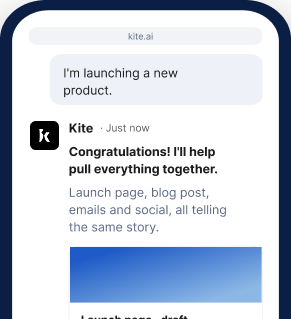
Phone browser
Keep work moving on the go.
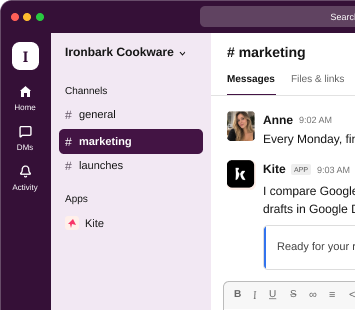
Slack
Bring Kite into your team's conversations.
Start your 7-day free trial and share the ad you're running now.
Get started freeWebflowGoogle Analytics and StripeBuilt on Kite: I edit it in place, and you're ready to go. Webflow: connect your Webflow account; a workspace owner or admin approves it on Webflow's own screen, and I build the page in your site. Code in GitHub: connect an eligible repository and I prepare the site changes for you to review. Somewhere else: share a public URL and I study your site and draft the page, and we agree together how it reaches your site.
Your domain stays exactly as it is. Pointing a domain somewhere else is a separate step that stays with you.
Every channel gets its own tracking link, and with your analytics connected I report which ad brought visitors and what they did on the page.
Yes. Once you sign up, I build as many as you want: a page for each ad, each audience or each offer, all on your own site.
Yes. You can work with me at kite.ai in your browser, on desktop or phone, or in any channel of your own Slack.