

Desktop
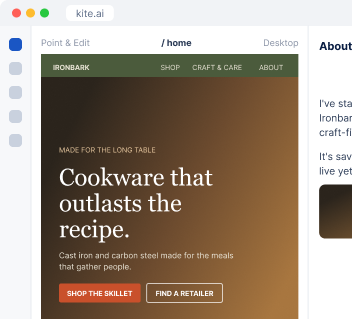
Work directly on Kite.ai.
I write each cold email from research on the account, schedule the follow-ups, answer new leads, and write to old ones when their company has news.
Run an outbound campaign to operations leads at restaurant groups.
 Kite
I checked that each contact still holds the role and wrote every email from research on their company. Follow-ups stop as soon as someone replies.
| Prospect | Opens with | Status |
|---|---|---|
| Head of operations, restaurant group | Their new location | Ready to send |
| Executive chef, hotel group | Their kitchen hiring | Ready to send |
| Founder, cooking school | Their new course | Ready to send |
I confirm each person still holds the role and fits your customer profile before I write a word.
Each message opens with something true about that account, in your brand voice.
From a Kite-managed address or your own tools, with follow-ups that stop when someone replies.
I reply to new inquiries with a clear next step, and write to quiet leads when their company has news.
Ironbark Cookware is an example business.
 Apollo
 Crustdata
 PredictLeads
 HubSpot
I verify roles and find timely events with the data built into Kite, then log every send and reply in your CRM when it's connected.
Start from a Kite-managed address right away, or connect Gmail, Lemlist, Instantly and your CRM.



Tell me the audience, or share the list you want to work.
I propose the audience, the angle and the follow-up timing, and the first emails go out when you approve.
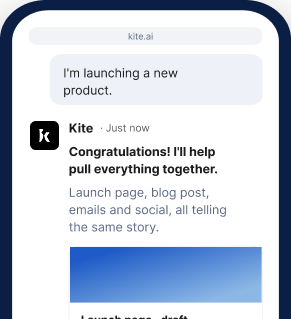
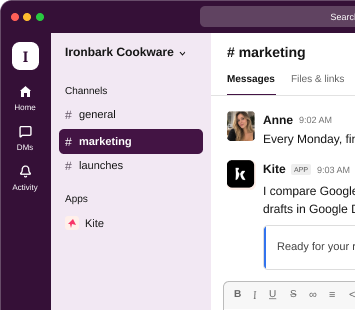
At your desk? Open Kite.ai. Away from your laptop? Use Kite in your phone browser. Prefer to work in Slack? Kite works there too.
Desktop
Work directly on Kite.ai.
Phone browser
Keep work moving on the go.
Slack
Bring Kite into your team's conversations.
Start your 7-day free trial and get your first campaign ready to review.
Get started freeYes. Each email is written from research on that account and person, so it opens with something true about the reader rather than a name merged into a template.
Yes. I can send from a Kite-managed team address, so you can start right away. Connect Gmail or your outreach tool when you want messages to come from your own domain.
I report the reply, stop that person's follow-ups and update their record in your CRM.
I still draft a polite reply that answers their question, and record them in your CRM as a poor fit with the reason.
Yes. You can work with me at kite.ai in your browser, on desktop or phone, or in any channel of your own Slack.