

Desktop
Work directly on Kite.ai.
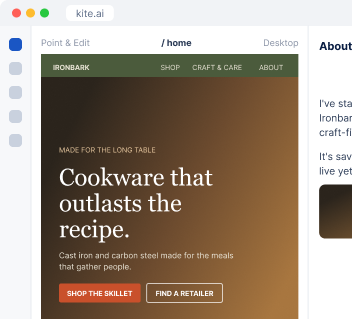
I prepare the launch page, emails and posts before the day, release them together, and turn every update your team ships into an announcement.
We're launching the recycled cast iron wok on March 3. Can you plan it?
 Kite
Here's the plan, working back from March 3. Every piece is ready for your review the week before.
| Piece | Where | Ready by |
|---|---|---|
| Positioning and messaging | Doc | Feb 10 |
| Launch page | Your site | Feb 17 |
| Announcement email | Mailchimp | Feb 24 |
| Launch-day posts | LinkedIn, Instagram | Feb 24 |
We agree what the launch should achieve, then I write the positioning every other piece is built from.
A page on your site built to turn launch traffic into that goal, plus updates to your homepage and pricing.
The announcement, emails and posts are ready ahead of time, and go out on launch day with one approval.
I read what shipped in GitHub, Linear or your changelog and turn each release into changelog entries, emails and posts.
Ironbark Cookware is an example business.
 Google Analytics
I read what your team shipped from GitHub, Linear or your public changelog. After each announcement, I check page views and email results to plan the next one.
Connect where your team tracks its work and where you announce it. On a Kite site, I publish the launch page directly.

What you're launching and when, or ask me to announce everything that shipped this month.
You review the messaging first, then every piece in one list before launch day.
At your desk? Open Kite.ai. Away from your laptop? Use Kite in your phone browser. Prefer to work in Slack? Kite works there too.
Desktop
Work directly on Kite.ai.
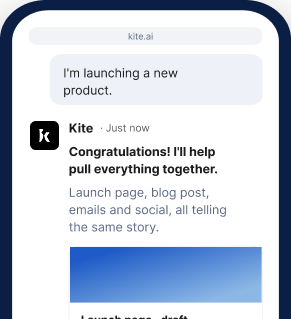
Phone browser
Keep work moving on the go.
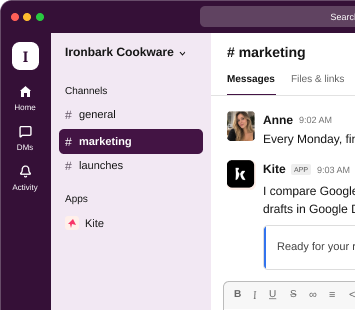
Slack
Bring Kite into your team's conversations.
Start your 7-day free trial and get your launch plan.
Get started freeThree to four weeks suits most feature launches, and six weeks or more suits a new product. That leaves time to approve the messaging before the other pieces are built from it.
Yes. I publish the launch page and site updates through Webflow, Contentful, Sanity, Storyblok or self-hosted Payload, or directly on a site I host for you.
Yes, together. Small fixes belong in your changelog and a monthly roundup email, and bigger releases get their own announcement.
Yes. I work from your public changelog, release notes and docs, or from a plain description of what shipped.
Yes. You can work with me at kite.ai in your browser, on desktop or phone, or in any channel of your own Slack.